¶ Spotfix — The Site Improver
SpotFix is a lightweight on-page widget that allows visitors, editors, and team members to highlight text or page elements and submit quick, contextual feedback — a Spot — directly tied to the exact location on the page. Each Spot is automatically turned into a task in doBoard for tracking, discussion, and resolution.
- Create a Spot in seconds from highlighted text or selected page elements.
- Precisely anchors feedback to the page element and captures the page URL.
- Flexible visibility options: public badges, site-wide Spot lists, or doBoard-only mode.
- Respond to and resolve Spots from doBoard or directly through the on-page widget, with notifications available.
Easy to install with a single async JS snippet. Configure project, board, visibility, and notification settings in doBoard.
¶ How Can the Widget Be Used?
The simplest and most common use case is identifying and fixing grammar mistakes, outdated content, or inaccurate information directly on the live website.
Beyond content fixes, the widget can also be used to communicate with visitors in context. Feedback and discussions remain linked to specific text blocks, images, or interface elements, making conversations clear and actionable.
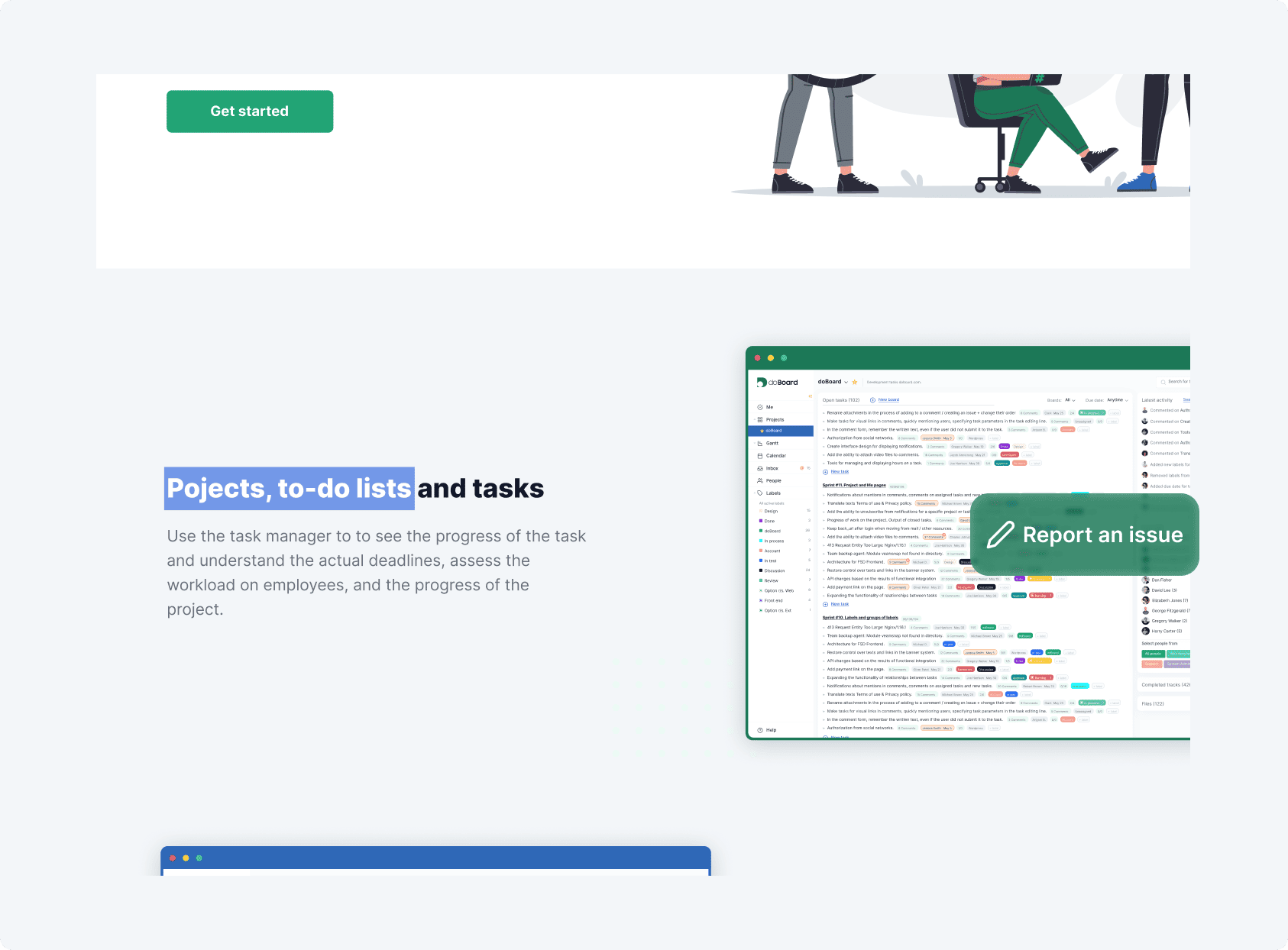
¶ How Does It Work? Highlight → Ask → Resolve
In short, the workflow follows a simple pattern: Highlight → Ask → Resolve. A visitor selects text or a page element, a compact widget appears, and a Spot (request or task) is submitted. You handle the response in doBoard, while progress remains visible directly on the page, with referenced elements clearly highlighted.
No shared inboxes, no screenshots, no lost context.
Full Interaction Flow with SpotFix:
- Highlight → Widget appears
A visitor highlights text or selects a page element, and a JavaScript widget opens in the bottom-right corner of the screen. - Create a Spot in seconds
The Spot title is automatically generated from the selected text or an image’s Alt/Title. A description is required, while name and email are optional. The page URL is captured automatically. - Spot becomes a task
Once submitted, the Spot is created as a task in doBoard. The referenced element is highlighted on the page, the Spot counter updates, and the visitor sees a confirmation. - Conversation and resolution
You reply and resolve the Spot either from doBoard or directly through the widget. The discussion is displayed as a chat with visible status updates and a due date. - Returning visits
When collapsed, the widget icon shows the number of Spots on the current page and across the site. Opening it displays the Spot list and instantly highlights the related elements.

¶ Setting Up Spotfix in Minutes
To enable SpotFix, open your project and follow these steps:
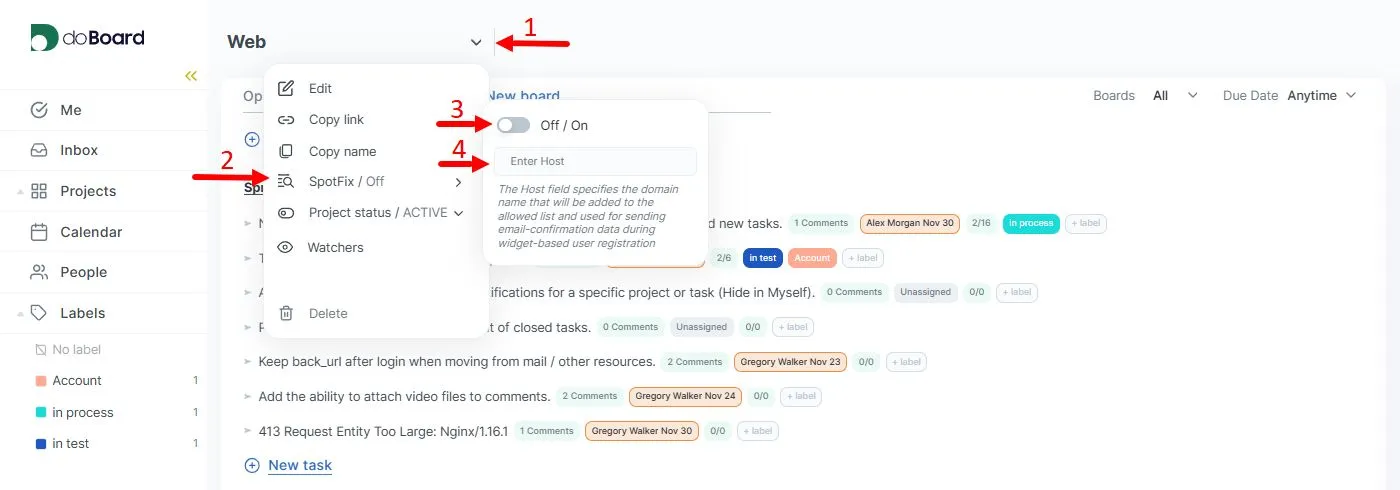
- Open Project settings.
- Navigate to SpotFix.
- Toggle SpotFix On.
- (Optional) Specify the Host name. The Host field specifies the domain name that will be added to the allowed list and used for sending email-confirmation data during widget-based user registration.
After enabling SpotFix, click Generate SpotFix Code.
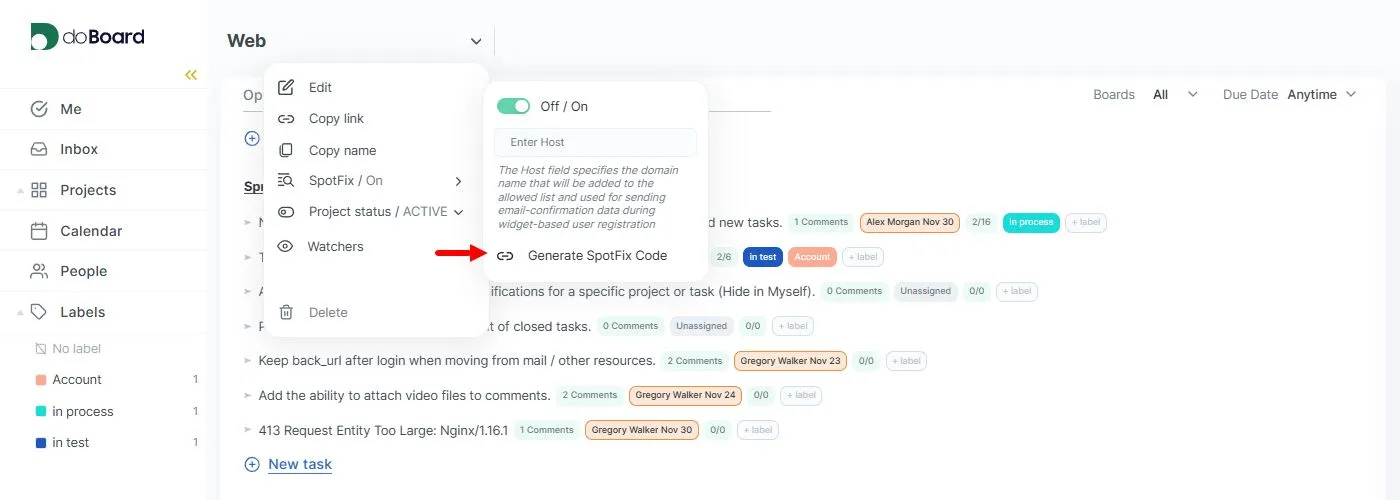
A JavaScript snippet will be generated. Insert this snippet before the first <script> tag on your website:
<script>
(function () {
let apbctScript = document.createElement('script');
apbctScript.type = 'text/javascript';
apbctScript.async = "true";
apbctScript.src = 'https://spotfix.doboard.com/doboard-widget-bundle.min.js?projectToken={PROJECT_TOKEN}&projectId={PROJECT_ID}&accountId={ACCOUNT_ID}';
let firstScriptNode = document.getElementsByTagName('script')[0];
firstScriptNode.parentNode.insertBefore(apbctScript, firstScriptNode);
})();
</script>
Required parameters: projectToken, projectId, accountId.
Maybe these links will also be helpful: