¶ ⚓ Notification Center
Stay informed with our centralized Notification Center. Easily track task assignments, comments, status changes, and other important updates—all in one convenient place, ensuring you never miss anything that matters.
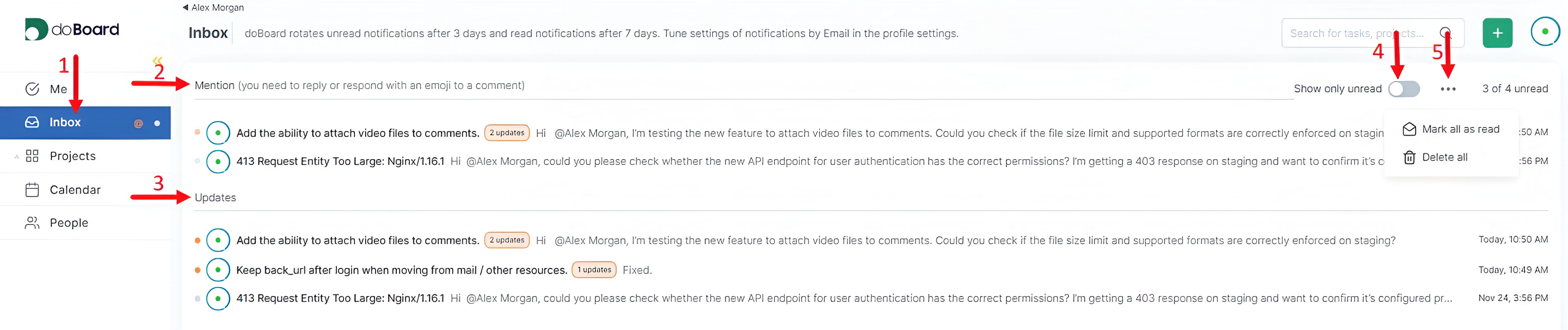
To help you navigate the Notification Center, the screenshot includes numbered markers that correspond to the key elements of the interface:
1) To open the Notification Center, click on Inbox. Here you’ll find all incoming alerts gathered in one place.
2) The Mention section shows tasks in which you were specifically mentioned, making it easy to keep track of items that require your attention.
3) The Updates section contains all activity related to your tasks, such as status changes, comments, or assignments.
4) If you receive a high volume of notifications, you can toggle Show only unread to focus solely on the items you haven’t viewed yet.
5) For quick inbox management, you can use Mark all as read or Delete all to clear your notifications in one action.
You will also receive task-related notifications directly to your email.

Maybe these links will also be helpful: