¶ Estimated hours
Plan workloads accurately by assigning estimated hours to each task. Track progress and compare estimated vs. actual time to improve forecasting and productivity across projects.
¶ How to Add Estimated Hours to a Task
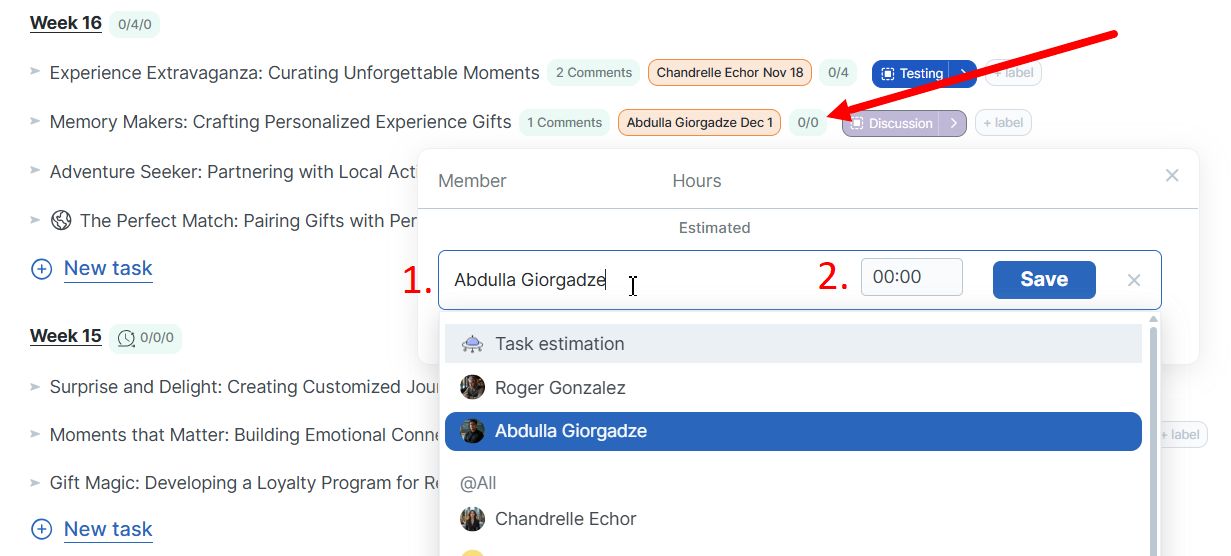
Locate the small green icon to the right of the assigned user on a task.
Click the icon to open the estimation menu.
In the menu, you can:
- Select the team member who will work on the task
- Set the number of hours estimated for the task
¶ Managing Estimates
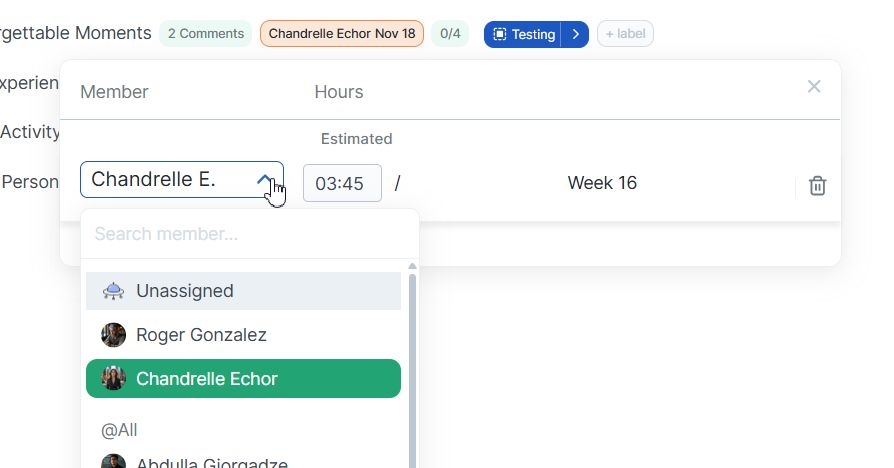
Update estimates: Click the same green icon to change the assignee or estimated hours
Remove estimates: Reset all data from the estimation menu
¶ The Power of Estimated vs. Actual Hours - Track & Compare

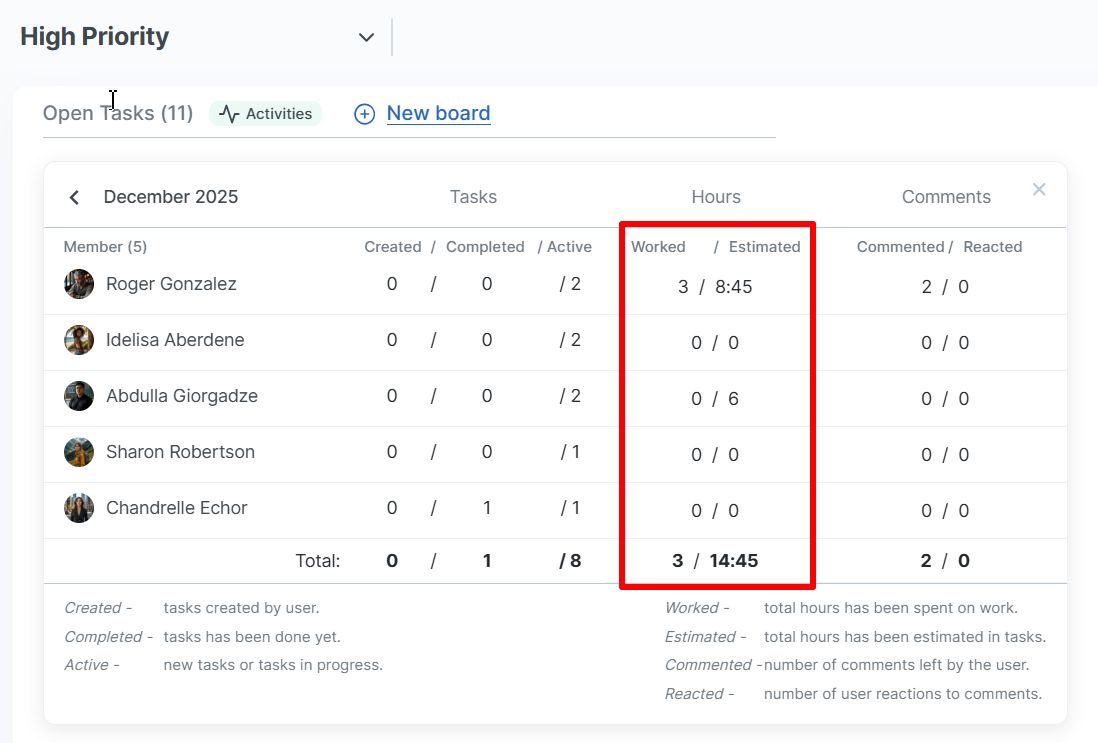
The first number displayed is the actual time spent; the second is the estimated hours. Regularly comparing these helps:
- Improve future project forecasting
- Identify estimation inaccuracies
- Boost team productivity
Learn more about time tracking: Time Tracking Guide.
¶ Team Workload Overview
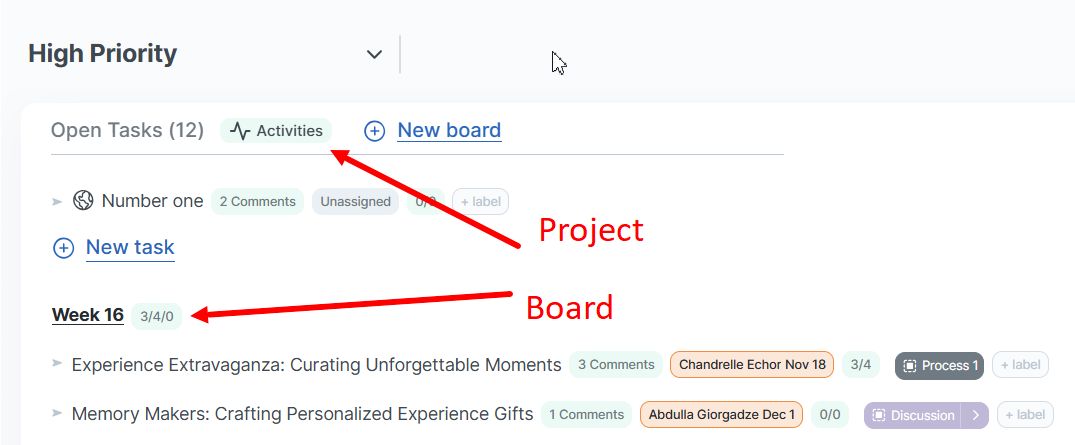
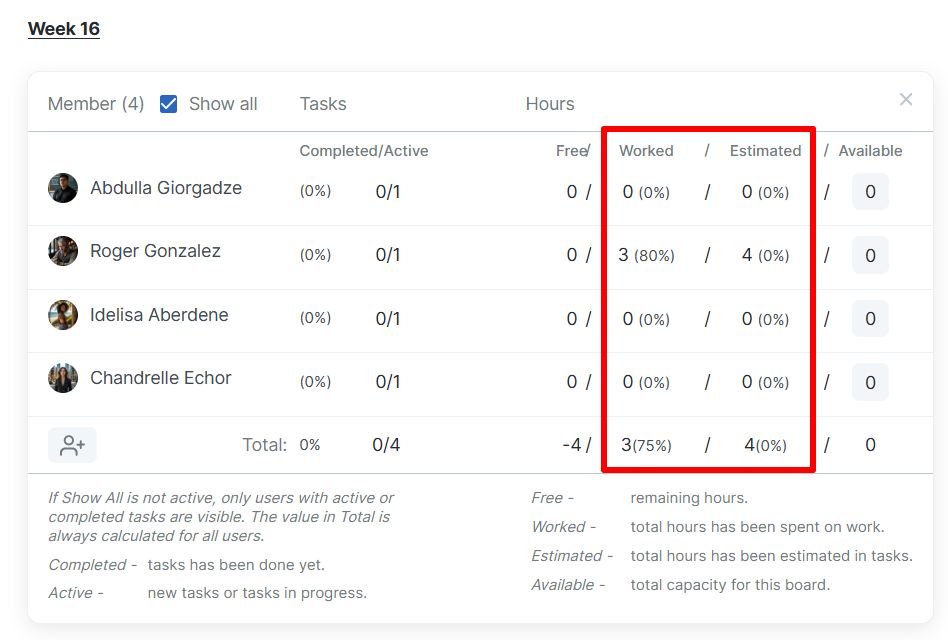
Review estimated and worked hours at both the board and project levels.
¶ Board workload dashboard
The board workload dashboard displays hours for the selected board only. This table is period‑independent and shows data for all tasks (open and completed) within the current board.
¶ Project workload dashboard
The project workload dashboard displays hours for the entire project. This table shows data for the selected month and includes open and completed tasks.

Learn more about doBoard:
- Projects and Boards → https://help.doboard.com/projects and https://help.doboard.com/boards
- Time Tracking → https://help.doboard.com/time-tracking
- Task Calendar with Available Hours → https://help.doboard.com/task-calendar-with-available-hours