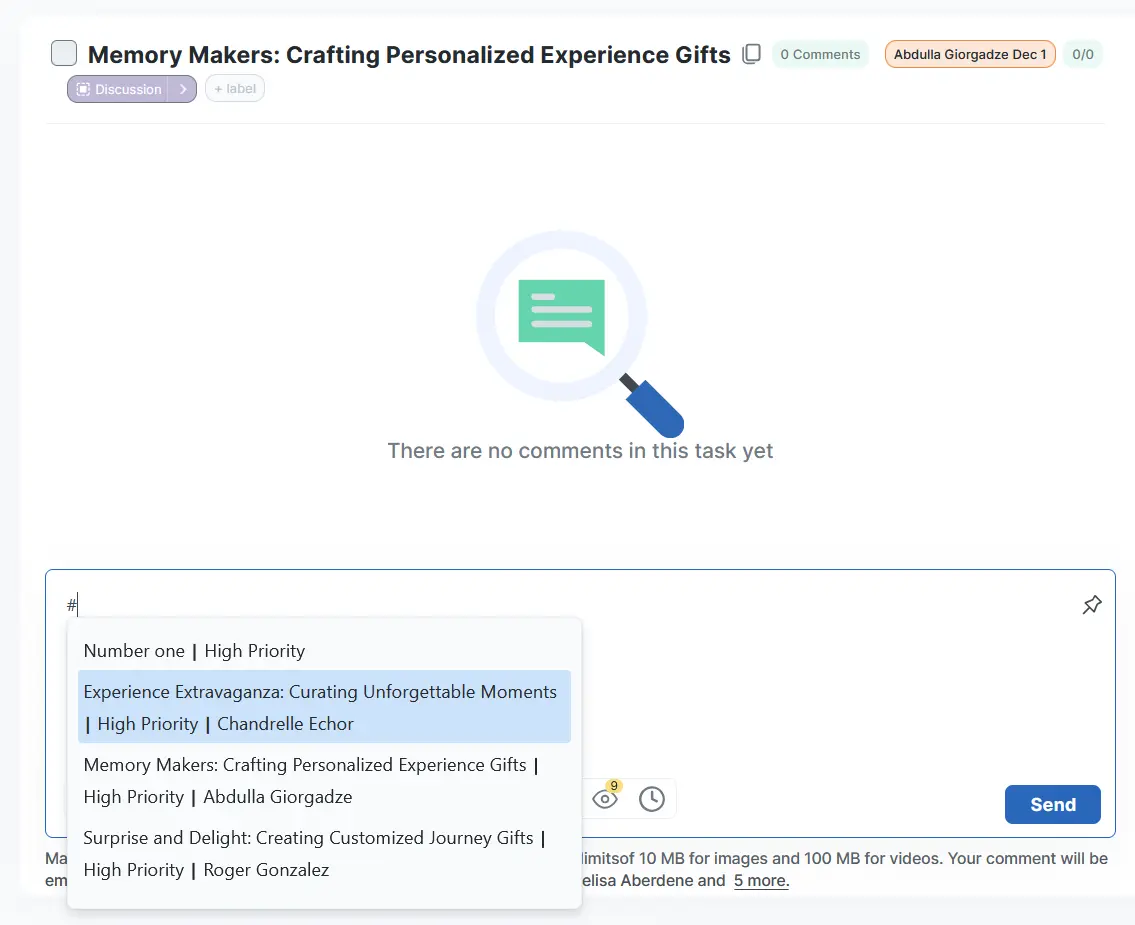
By clicking on the # symbol in the comment field, you can select the task you want to refer to. When you enter characters after #, tasks matching the text you entered will be suggested.
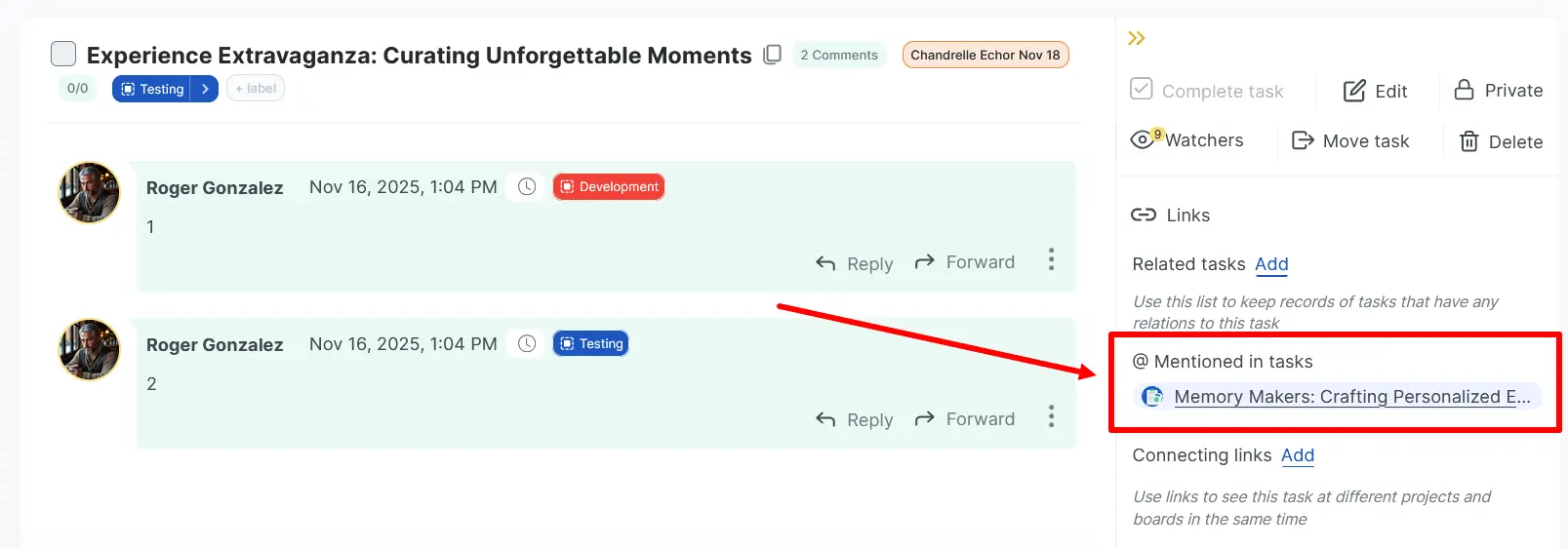
When the comment is posted, a link will appear in the selected task in the “@ Mentioned in tasks” section.
Learn more about doBoard: